Posts

Showing posts with the label hardware

Is my PC quick enough for my photo software

Image
Modern photo processing software, including RAW conversion and the many filter type packages, can use a lot of computer resources . To make matters worse AI processing is increasingly being used for things like mask selection and this is demanding on processor capacity, often being pushed from the CPU onto a dedicated GPU. Usually the required computer specification for a given piece of software is provided in  minimum and recommended variants and performance can be decidedly poor at the minimum end of things. This can give rise to questions such as "is my machine good enough" and if not then "what should I upgrade to make it better". Example specs for DXO PhotoLab 9 The good news is there are tools to check performance that we can easily run to help see potential bottlenecks, taking some of the guesswork out of it. In a windows environment (Windows 11 or older editions) we can run Task Manager . To do this you can use the keyboard shortcut Ctrl + Shift + Esc, or r...

Choosing a new high performance desktop computer

Image
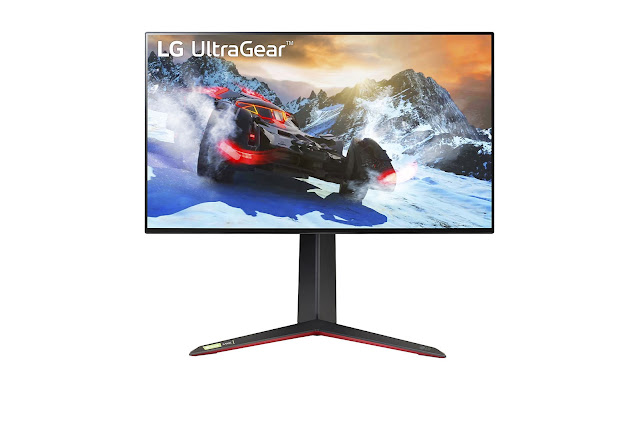
A change in desktop computer has been prompted in our household by the end of support for Windows 10 (Microsoft to end Windows 10 unpaid support on 14 October 2025). In fact I've been running Windows 11 for some time but this was a chance to swap machines around, my old Win 11 machine replaces an older Win 10 machine and then I get a new Win 11 machine. At the same time I'm also taking the opportunity to get one of the new 50 series graphic cards launched by Nvidia in the spring of 2025. I've previously outlined my selection process for a new laptop and will document here a similar thought process for arriving at the spec of a new desktop machine. Side view, not powered I was looking for a high performance machine that would be good for photo editing, along with a little video editing and also for gaming. I already have a 4k screen, an LG UltraGear which I will continue to use. As off the shelf desktop PC configurations can be short on memory and short on storage space...

Choosing a new laptop - the Elimina Pro

Image
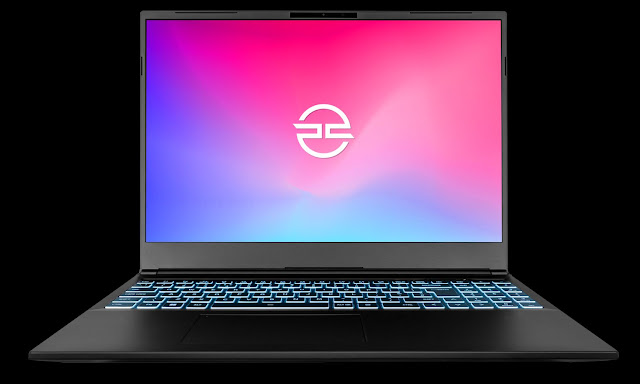
With my old laptop being 10 years old it felt overdue for replacement. It could not be upgraded to Windows 11, the battery charge would not last more than a few minutes and performance was generally slow so time to see what the latest tech could offer. Elimina Pro I was looking for something that would be good for photo editing along with a little video editing and maybe a little gaming. I would expect to mostly use the laptop plugged in to a power supply and not on the move so a larger high-res screen would be the preference. This in turn suggests a dedicated GPU which means ultra thin cases would not be an option. As off the shelf laptop configurations often have poor screens, are usually short on memory and short on storage space I was therefore looking for a custom build. As a company I've used before, PC Specialist came to mind. I based the build on one of their Elimina Pro laptops, choosing a 16 inch screen (diagonal measurement) as a good compromise size and opted for highe...

A monitor for photo editing that you can also play games on

Image
I last swapped monitors back in 2015 and at that time I placed my emphasis on colour accuracy, looking for a wide-gamut monitor that could be easily calibrated. My choice back then was an Eizo Coloredge CX271 which claimed to show up to 98% of AdobeRGB. It had a 27 inch screen with QHD at 2560 x 1440 resolution, running at 60Hz via a DisplayPort and in my case being driven by an Nvidia GTX 1080. Over the years this proved an excellent choice, I had been very happy with it (the only little problem in later years had been some occasional flickering of the screen on and off which looked to be due to a loose connector on the old display port cable). However, like many people, my PC is used for more than photo editing and one of these is game playing. With advances in graphic card (GPU) capabilities it seemed like it was finally time to jump up to 4k resolution and to look for higher refresh rates with supporting technologies such as G-Sync (where the monitor synchronises it's frame rat...