Posts

Showing posts with the label digital raw

Affinity Photo 2

Image
Following the proposed changes to the perpetual licenses for Capture One I've been starting to look at other options. Affinity Photo recently released a major update, Affinity Photo 2 , with a special promotion price so I had a closer look. Although I was aware Affinity have a good following I'd previously ruled it out as being an Apple only option, however it seems I was mistaken, this was only true in their very early days and their packages now come with Windows as an option.       For those that are familiar with Photoshop they will find that Affinity Photo works in a similar way. It is split into a few different modules, which they call personas, the main two being Photo (like Adobe's ACR) and Develop (along with personas for Liquify, Tone Mapping and Export). The RAW module has a good list of cameras supported and includes support for Fujifilm xtrans sensors. With Photo 2 they describe the RAW as non-destructive, in reality it was anyway, what they really mea...
View RAW files with Windows 11

Image
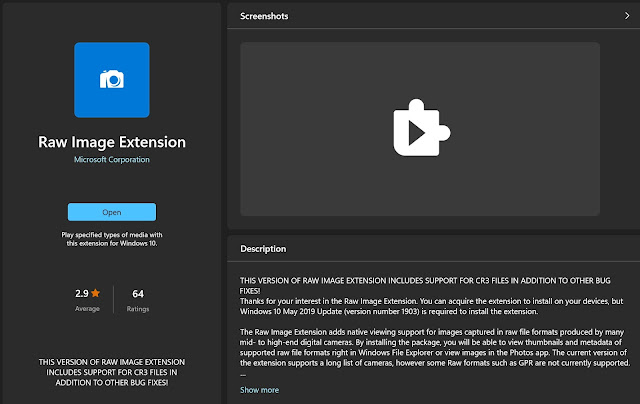
The Raw Image Extension adds native viewing support for images captured in raw file formats and allows you to see thumbnails in Explorer without needing to open them with additional software.   RAW Image Extension from Microsoft This is very easy to setup and free, from Windows desktop run the Microsoft Store , go to Apps and search for "Raw Image Extension". Under "System requirements" it should state if your device is suitable for installation and if so then just install (needs to be Windows 11 or one of the more recent versions of Windows 10). NB Although this installs like an App it does not run as an App, it will run in the background, just use the Windows File Explorer to see thumbnails and view metadata. It uses the LibRAW Image Decoder, a list of supported cameras can be found here: https://www.libraw.org/supported-cameras

Capture One - Changes to perpetual license

Image
I've been taking alternate major releases of Capture One Pro over the last few years and was waiting for a good upgrade offer to move from 21 to the current release 23. Can't say there is anything too exciting in it but the previous release 22 did have some functionality that I would like.  Then the following announcement drops into my mailbox:  " Over the past few years many of you have told us you want access to new tools and improvements sooner, rather than have them all in one ‘major’ version of Capture One Pro at the end of each year. That’s why we’ve been investing heavily in our technology to be able release features to you as soon as they are ready. Now we’re ready to fully embrace this approach. From 2023 we will no longer be tied to an annual cycle for major releases. As a result, there will not be a Capture One 24. Instead, we will continuously release new tools and features on a rolling basis throughout the year. Alongside this, we will also be making changes...

Capture One 21 Pro upgrade

Image
I've recently upgraded my version of Capture One Pro from 12 to 21, this has been a relatively painless and straightforward upgrade.   Capture One 21 Pro splash screen Please note that this was only a jump of two major versions though it may seem more from the numbering. So after version 12 came version 20 (build 13) and then followed by version 21 (build 14).   Capture One 21 Pro About screen   My decision to upgrade was prompted by a planned move from X-T1 to X-T4 for my Fuji shooting, to handle the raw files from an X-T4 requires a newer version of COP than 12 so hence the upgrade. I had two basic upgrade options: Wait for the next new version. Probably out in the new year but feature list unknown, likely to be full price and possibly with a few bugs initially. Buy the current version when Phase One run there next promotion offer. This gives me a new version without undue delay, a tried and tested stable version and a lower cost. I chose the latter option and picked up...

Taking Capture One Pro for a test drive

Image
I've already spent some time investigating Lightroom alternatives and identified Capture One as looking likely but you can only get so far with reading reviews and looking at tutorial videos so it was time for me to get hands on with Capture One Pro. My intention is to put Capture One through it's paces for those aspects that matter to me but not to run through every single function or option and not to compare with Lightroom at a pixel by pixel level. I started out simply by going onto the Phase One site, entering a few basic details and then being emailed a download link. Capture One About Once installed I fired it up and created a new empty catalog (tip: I located this on my SSD drive to improve performance). Tip: once installed this is a good moment to review and edit preferences, you'll want to check the "Preview Image Size", it defaults to 2560 pixels, set lower if your screen resolution is lower to avoid having unnecessarily large preview files (NB...

My last Lightroom upgrade

Image
I can't remember when I made the move from shooting in camera jpg to shooting raw but it would probably be around ten years ago. At a similar time I started with Adobe Lightroom , the two going nicely hand in hand. Lightroom has scored for its overall combination of library and development modules, allowing convenient raw processing. Over the years I've gone for each major Lightroom release, the easy option of just buying an update license at around £50 every 18 months or so, and staying with the desktop version. Lightroom 6.13 splash screen However for some time it's been clear that Adobe's preference has been for monthly subscriptions and for cloud based options. Now with release 6.13 it's been the final update for the standalone version and it's missing some of the functionality of the 'Classic' version. The subscription model would work out more expensive and so it prompts me to review my options. Lightroom certainly has its shortcomings ;...

Ardnamurchan Winter

Image
After spending a week in Ardnamurchan here is a condensed selection of my 'best' photographs taken. I'll start with my personal favourite, an image of Loch Shiel with the M.V. Sileas in the distance, I've used negative space to emphasise the cloud pattern as a reflection in the calm water, taken at the southern end of this popular loch (Glenfinnan and the 'Harry Potter' viaduct are located at the north end). Loch Shiel I never seem to be as satisfied with colour images but I did like this one which is shot slightly contre-jour to reveal the cold winter branches along with the warm colours of the old ferns in the foreground. Winter, Ariundle National Nature Reserve Having very carefully framed this image I found the resulting composition graphic but possibly a little too busy with this photograph of Loch Shiel, which proved my most popular on social media Loch Shiel with M.V. Sileas For EXIF data on these photographs and for other photographs...