Posts

Showing posts with the label Windows11

Is my PC quick enough for my photo software

Image
Modern photo processing software, including RAW conversion and the many filter type packages, can use a lot of computer resources . To make matters worse AI processing is increasingly being used for things like mask selection and this is demanding on processor capacity, often being pushed from the CPU onto a dedicated GPU. Usually the required computer specification for a given piece of software is provided in  minimum and recommended variants and performance can be decidedly poor at the minimum end of things. This can give rise to questions such as "is my machine good enough" and if not then "what should I upgrade to make it better". Example specs for DXO PhotoLab 9 The good news is there are tools to check performance that we can easily run to help see potential bottlenecks, taking some of the guesswork out of it. In a windows environment (Windows 11 or older editions) we can run Task Manager . To do this you can use the keyboard shortcut Ctrl + Shift + Esc, or r...

Choosing a new high performance desktop computer

Image
A change in desktop computer has been prompted in our household by the end of support for Windows 10 (Microsoft to end Windows 10 unpaid support on 14 October 2025). In fact I've been running Windows 11 for some time but this was a chance to swap machines around, my old Win 11 machine replaces an older Win 10 machine and then I get a new Win 11 machine. At the same time I'm also taking the opportunity to get one of the new 50 series graphic cards launched by Nvidia in the spring of 2025. I've previously outlined my selection process for a new laptop and will document here a similar thought process for arriving at the spec of a new desktop machine. Side view, not powered I was looking for a high performance machine that would be good for photo editing, along with a little video editing and also for gaming. I already have a 4k screen, an LG UltraGear which I will continue to use. As off the shelf desktop PC configurations can be short on memory and short on storage space...

Affinity Photo 2

Image
Following the proposed changes to the perpetual licenses for Capture One I've been starting to look at other options. Affinity Photo recently released a major update, Affinity Photo 2 , with a special promotion price so I had a closer look. Although I was aware Affinity have a good following I'd previously ruled it out as being an Apple only option, however it seems I was mistaken, this was only true in their very early days and their packages now come with Windows as an option.       For those that are familiar with Photoshop they will find that Affinity Photo works in a similar way. It is split into a few different modules, which they call personas, the main two being Photo (like Adobe's ACR) and Develop (along with personas for Liquify, Tone Mapping and Export). The RAW module has a good list of cameras supported and includes support for Fujifilm xtrans sensors. With Photo 2 they describe the RAW as non-destructive, in reality it was anyway, what they really mea...

View RAW files with Windows 11

Image
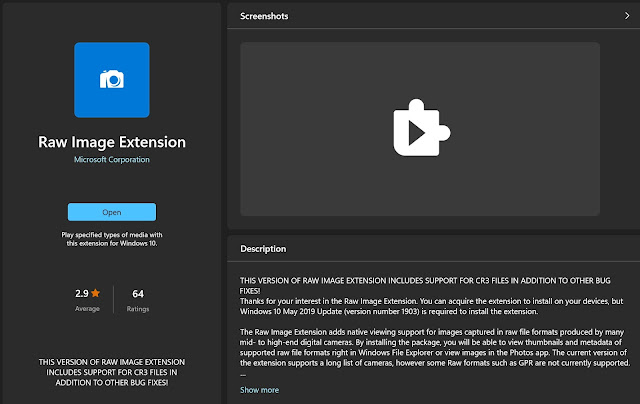
The Raw Image Extension adds native viewing support for images captured in raw file formats and allows you to see thumbnails in Explorer without needing to open them with additional software.   RAW Image Extension from Microsoft This is very easy to setup and free, from Windows desktop run the Microsoft Store , go to Apps and search for "Raw Image Extension". Under "System requirements" it should state if your device is suitable for installation and if so then just install (needs to be Windows 11 or one of the more recent versions of Windows 10). NB Although this installs like an App it does not run as an App, it will run in the background, just use the Windows File Explorer to see thumbnails and view metadata. It uses the LibRAW Image Decoder, a list of supported cameras can be found here: https://www.libraw.org/supported-cameras